Choosing a smart board for business meetings is not simply a comparison of screen size and price. China’s leading manufacturers now offer advanced displays, built-in microphones, wireless casting, annotation tools, and cloud collaboration. These features can look impressive in a showroom. They may perform differently in a crowded meeting room.
The practical question is how to choose a smart board for business meetings without overlooking daily usability. David Sibbet, a respected visual collaboration expert, said, “Visual meetings are more effective because they engage more of the brain.” His observation explains why a responsive writing surface matters. Participants should be able to sketch a workflow, move ideas, and share documents without interrupting discussion.
A reliable evaluation should examine touch accuracy, camera quality, audio pickup, operating-system compatibility, security updates, warranty support, and integration with platforms such as Teams or Zoom. Test these functions with real meeting materials. Use a spreadsheet, a video call, and a detailed presentation. Small delays become frustrating after repeated use.
Room size also matters. A 65-inch board may suit a compact team, while larger rooms often require a 75-inch or 86-inch model. Do not assume the most expensive board is the best choice. Sometimes, simpler software improves adoption. Sometimes, a lower-cost model hides weak microphones or limited support. That uncertainty deserves attention.
This guide compares China’s top smart boards through practical business needs. It considers performance, reliability, collaboration, installation, and long-term value. The final choice should fit your people, room, and meeting habits—not just a product brochure.
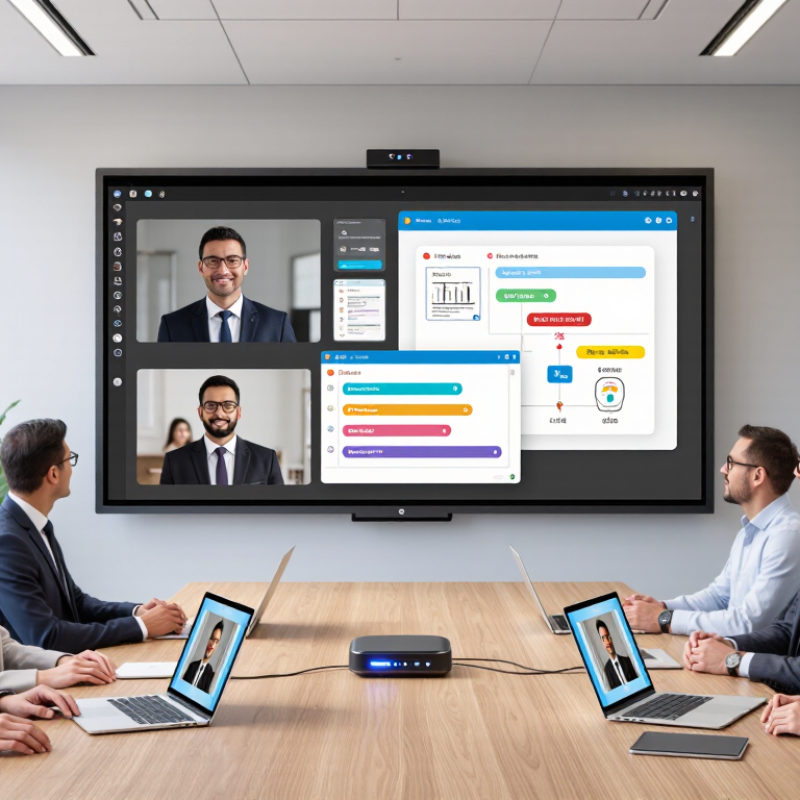
Before choosing China’s top smart boards for business meetings, define the meeting problem clearly. A board for weekly planning differs from one used for remote negotiations. List who will use it, where meetings happen, and how many people attend. A small conference room may need a compact display and clear microphones. A large training room needs stronger speakers, wide viewing angles, and smooth annotation. Write the answer down.
Then match each use case with measurable functions. For video meetings, check camera compatibility, microphone pickup, screen sharing, and connection stability. For project reviews, test handwriting accuracy, file importing, and quick page switching. For sales presentations, examine brightness, color consistency, and anti-glare performance. Ask staff to perform real tasks, not only watch a product demonstration. A ten-minute test can expose delayed writing or confusing menus.
Reliable selection also requires evidence. Request technical specifications, software update policies, warranty terms, and service response procedures from the supplier. Confirm data protection settings with your IT team before connecting the board to company networks. Independent certifications and documented quality controls can support the evaluation, but they should not replace hands-on testing.
We once assumed a larger screen would improve collaboration; it instead crowded a narrow room and reduced eye contact. That mistake showed us that room design matters as much as screen size.
A small pilot with actual users may reveal overlooked needs, including cable placement, accessibility, and cleaning routines.
Choosing China’s top smart boards for business meetings requires more than comparing screen size. Display quality shapes attention, especially in rooms with glass walls or strong ceiling lights. Check 4K resolution, 400–500 nits brightness, anti-glare glass, and accurate skin tones. A 65-inch panel may suit eight people, while a 86-inch model gives remote participants clearer handwritten notes.
Interactive features should reduce friction, not create another technical task. Look for low-latency writing, palm rejection, wireless sharing, split-screen viewing, and reliable video-conference integration. Microsoft’s 2023 Work Trend Index reported that participants spend 57% of meeting time listening. This makes readable diagrams and instant annotation highly valuable. In my experience, a smooth pen response often matters more than an impressive list of apps. I still underestimate training time sometimes.
Tips: Test writing at the screen edges. Open a large spreadsheet. Share content from two operating systems. Confirm whether guest users can join without installing software. For the operating system, compare update policies, security controls, app compatibility, and offline functions. Android-based systems can offer flexibility, while Windows-based systems may support familiar office workflows. The choice depends on your IT environment, not fashion. Wainhouse Research market analyses consistently highlight collaboration software compatibility as a major factor in interactive display adoption. A board that looks excellent but cannot connect quickly will lose credibility during a ten-minute client meeting. Check wake-up time, microphone pickup, and recovery after network failure before purchasing.
How to Choose China Top Smart Boards for Business Meetings?
Connectivity should be tested with real meeting conditions, not showroom promises. A strong smart board needs stable Wi-Fi, wired network access, USB-C, HDMI, and reliable wireless casting. Check whether one cable can carry video, sound, touch control, and charging. It saves time. During trials, connect a laptop, camera, microphone, and room speakers simultaneously. Some systems appear compatible until several devices compete for bandwidth. The 2022 Work Trend Index reported that 43% of remote participants did not feel included in meetings. A weak connection can make that problem worse.
Compatibility also covers operating systems, conferencing platforms, file formats, and security policies. Ask whether staff can annotate a presentation without installing unfamiliar software. Confirm support for common documents, screen sharing, guest access, and calendar integration. Collaboration tools should offer shared whiteboards, searchable notes, voting, and permission controls. A 2022 global hybrid-work report found that 98% of future meetings could include at least one remote participant. Design for that reality. Test voice pickup from the far corner of the room. Test handwriting under pressure. The result may feel less impressive than a specification sheet, but it is more honest. I would also leave room for improvement, because even expensive boards can create friction when users receive little training.
| Evaluation Dimension | Business Meeting Requirement | Recommended Technical Benchmark | What to Check Before Purchase | Priority |
|---|---|---|---|---|
| Screen Size | Clear visibility for participants in small, medium, and large meeting rooms. | 55–65 inches for small rooms; 75–86 inches for medium rooms; 98 inches or larger for large rooms. | Confirm the viewing distance, wall size, mounting position, and whether remote participants need to read small text. | High |
| Resolution | Readable spreadsheets, presentations, diagrams, and shared documents. | 4K UHD resolution at 3840 × 2160 pixels is the practical standard for business smart boards. | Check native resolution rather than software-upscaled resolution, especially on screens above 75 inches. | Essential |
| Brightness and Visibility | Comfortable viewing under office lighting and near windows. | Approximately 350–500 cd/m² brightness with an anti-glare, fully laminated display surface. | Test the screen with ceiling lights and daylight. Check reflections, viewing angles, and text sharpness. | Medium |
| Touch Performance | Multiple users should write, annotate, and move objects naturally during workshops. | At least 20 simultaneous touch points, less than 10 ms touch response, and palm rejection support. | Test writing with different pen sizes, fingers, and simultaneous users. Check accuracy near screen edges. | High |
| Wired Connectivity | Easy connection to laptops, cameras, microphones, and room equipment. | HDMI input and output, USB-A, USB-C with video and charging support, Ethernet, and a 3.5 mm audio interface. | Confirm the number and location of ports, USB-C power delivery, HDMI version, and cable accessibility when wall-mounted. | Essential |
| Wireless Connectivity | Fast, stable screen sharing from employee and guest devices. | Dual-band Wi-Fi 5 or Wi-Fi 6, Bluetooth 5.0 or later, and secure wireless casting with PIN or approval control. | Test connection stability in a busy office network and confirm support for both 2.4 GHz and 5 GHz networks. | Essential |
| Operating System | Access to business applications while maintaining a simple meeting-room experience. | A current Android-based platform for native applications, preferably with a separate computer module or external computer compatibility. | Check operating-system update policy, application availability, user permissions, and whether unsupported applications can run through HDMI or USB-C. | High |
| Computer Compatibility | Smooth use with common office computers and operating systems. | Support for Windows, macOS, ChromeOS, and Linux through HDMI, USB-C, or browser-based sharing. | Test different laptop types, screen ratios, audio routing, touch-back control, and automatic input switching. | Essential |
| Video Conferencing | Reliable hybrid meetings with clear voice and video transmission. | Integrated camera of at least 4 megapixels, microphone array with echo cancellation, speakers around 2 × 15 W or higher, and USB peripheral support. | Check camera field of view, microphone pickup distance, automatic framing, noise reduction, and compatibility with the organization’s meeting software. | Essential |
| Screen Sharing | Participants should share content without installing complicated software. | Browser-based sharing plus support for major wireless casting standards or a dedicated receiver application. | Test sharing from Windows, macOS, Android, and iOS devices. Confirm guest access, latency, resolution, and multi-device switching. | High |
| Digital Whiteboard | Capture ideas, annotate presentations, and distribute meeting outcomes. | Infinite canvas, shape recognition, handwriting conversion, templates, image import, undo history, and export to PDF or image files. | Check file export formats, cloud storage options, sharing permissions, and whether notes remain editable after export. | High |
| Collaboration Workflow | Continue work after the meeting and involve remote participants. | Real-time co-editing, QR-code or link-based participation, agenda templates, voting or annotation tools, and session recording. | Confirm participant limits, guest permissions, data ownership, synchronization speed, and integration with existing productivity tools. | High |
| Security and Privacy | Protect confidential presentations, customer information, and meeting records. | Secure boot, encrypted storage, user profiles, screen-sharing approval, automatic session cleaning, firmware updates, and network access controls. | Request security documentation, administrator controls, update frequency, account management options, and data-storage location. | Essential |
| Device Management | Operate and update multiple meeting rooms efficiently. | Remote monitoring, centralized configuration, scheduled updates, device grouping, usage reports, and remote restart. | Check whether management tools are included, cloud-hosted or local, and compatible with the organization’s IT policies. | Medium |
| Audio and Video Expansion | Scale from a small huddle room to a larger conference room. | USB 3.0 or faster connectivity, support for external cameras and speakerphones, audio input/output, and standard mounting compatibility. | Connect the exact camera, microphone, and speaker models planned for deployment. Test power, recognition, and audio echo. | High |
| Reliability and Service | Minimize downtime and simplify maintenance for business installations. | Commercial-grade panel, rated operating time of approximately 16 hours per day, replaceable accessories, and a documented warranty process. | Review warranty duration, response time, spare-part availability, local technical support, packaging protection, and installation guidance. | Essential |
| Total Cost of Ownership | Control the long-term cost beyond the initial hardware purchase. | Evaluate hardware, mounting, installation, software subscriptions, management licenses, training, support, and energy consumption over 3–5 years. | Request a complete quotation with optional software, replacement parts, shipping, installation, and renewal costs listed separately. | High |
Choosing a top smart board for business meetings starts with manufacturer reliability, not screen size. Request audited factory records, product failure rates, and shipment references from comparable companies. A stable supplier should provide firmware updates, spare parts, and trained service engineers for several years. According to the 2023 Uptime Institute survey, human error and system failures remain major causes of technology downtime. A beautiful display becomes expensive when meetings repeatedly stop.
Security deserves equal attention. Ask whether the board supports encrypted connections, role-based access, secure boot, and remote device management. The 2024 Cost of a Data Breach Report placed the global average breach cost at 4.88 million dollars. That figure makes basic password protection look inadequate. Check independent penetration-test summaries, vulnerability response times, and data-storage locations. ISO/IEC 27001 certification can show structured security management, but it does not guarantee perfect protection. That distinction matters.
Tips: Test one unit for four weeks before a large purchase. Measure startup time, microphone clarity, touch accuracy, and software recovery. Ask support to simulate a failed update. Read the service-level agreement carefully. It should define response times, replacement procedures, and escalation contacts. Certifications should be verified through the issuing body, not only a sales brochure. I would also inspect the privacy policy line by line. It may feel slow. That is often where hidden risk appears.
The best smart board is not always the one with the highest resolution. A dependable choice begins with total cost, not the purchase price. Request a detailed quotation covering the display, mobile stand or wall mount, delivery, installation, training, software access, and taxes. Ask whether replacement pens, cameras, and control panels are included. Small omissions can become expensive surprises.
Measure the meeting room before ordering. An 86-inch board may look impressive, but it can overwhelm a narrow room. Check wall strength, viewing distance, doorway width, power outlets, network coverage, and cable routes. Installation may require reinforced brackets, a dedicated circuit, or professional calibration.
A clear acceptance checklist should test touch accuracy, screen sharing, microphones, speakers, and connection stability. Do not skip this step.
Long-term value depends on service quality. Confirm warranty duration, response times, spare-part availability, firmware updates, and remote support. A low-cost board becomes poor value if one failed camera stops weekly meetings for a month. Ask for written service terms. Verbal promises are weaker.
Security and compatibility also matter. The board should work with your existing meeting platforms, laptops, and room-control systems without awkward workarounds. Review data settings and user permissions with your IT team.
A careful pilot in one room can reveal glare, audio echo, or slow startup. Real conditions matter more than a showroom demonstration.
Some evaluations still underestimate staff training. That is a common mistake. Teams may need short practice sessions, clear usage guides, and a realistic budget for future upgrades.
Identify the users, meeting rooms, and typical group sizes. A small room may need compact display and clear microphones. A training room needs wide viewing angles and stronger speakers. Write the requirements down.
Check camera compatibility, microphone pickup, screen sharing, and connection stability. Test these functions with real laptops and meeting software. A showroom demonstration may hide weak audio or unstable connections.
Ask staff to import files, write notes, erase marks, and switch pages quickly. A ten-minute test can expose delayed writing or confusing menus. Test it live.
Request prices for the display, stand or wall mount, delivery, installation, training, software access, and taxes. Also confirm replacement pens, cameras, and control panels. Small omissions can create expensive surprises.
Measure wall strength, viewing distance, doorway width, outlets, network coverage, and cable routes. A large display may overwhelm a narrow room and reduce eye contact. Measure twice.
Confirm whether reinforced brackets, a dedicated circuit, or professional calibration are required. Use an acceptance checklist for touch accuracy, screen sharing, microphones, speakers, and connection stability. Do not skip it.
Request written warranty terms, response times, spare-part availability, firmware updates, and remote support details. One failed camera could stop weekly meetings for a month. Verbal promises are weaker.
Review data settings and user permissions with the IT team before connecting the board. Confirm compatibility with existing laptops, meeting platforms, and room-control systems. Awkward workarounds waste time.
A pilot can reveal glare, audio echo, slow startup, cable problems, and accessibility issues. It also shows whether staff need short practice sessions or simple usage guides. We once valued screen size too highly. The room design mattered more.
Choosing the right smart board can significantly improve the efficiency and quality of business meetings. To understand how to choose a smart board for business meetings, first identify your meeting needs, room size, number of participants, and common use cases such as presentations, video conferencing, brainstorming, or document review. Then compare display resolution, brightness, touch accuracy, writing responsiveness, built-in operating systems, and ease of use. A suitable device should also support reliable connectivity, multiple input sources, wireless screen sharing, major office file formats, and collaboration platforms.
Beyond technical specifications, evaluate the manufacturer’s reliability, warranty, customer support, software updates, data protection features, and relevant certifications. Consider the complete cost, including installation, accessories, training, maintenance, and future upgrades. A smart board with strong compatibility, simple management, durable construction, and flexible collaboration tools can deliver better long-term value than a cheaper option with limited functionality. By balancing performance, security, usability, and total ownership costs, businesses can select a solution that supports productive meetings and adapts to future workplace needs.

Fray Tech