Industrial PCs are becoming the practical bridge between machine-level control and data-driven automation. They collect signals from PLCs, cameras, sensors, and robots, then process information close to the production line. The real challenge is learning how to integrate industrial pcs with automation systems without creating another isolated data island. A cabinet may look organized, yet poor protocol choices can delay alarms, corrupt records, or stop a line.
Industry data shows why this work matters. Rockwell Automation’s 2024 State of Smart Manufacturing Report surveyed 1,560 manufacturers across 17 countries. It found that 95% had invested in, or planned to invest in, artificial intelligence and machine learning. Deloitte’s 2024 Smart Manufacturing and Operations Survey also reported that manufacturers continue prioritizing connected systems, analytics, and cybersecurity. These investments require dependable computing at the edge, not only cloud dashboards. A fanless industrial PC, synchronized through industrial Ethernet, can run SCADA software, gateway services, and local analytics beside a PLC.
The integration process should match real operating conditions. Engineers need to verify OPC UA, Modbus TCP, MQTT, or vendor-specific drivers before selecting hardware. They should also check temperature range, vibration resistance, storage failure protection, network redundancy, and lifecycle support. NIST SP 800-82 Rev. 3 emphasizes segmentation, secure remote access, monitoring, and controlled configuration for industrial control systems. A neat architecture diagram is not enough. Firmware updates, time synchronization, user permissions, and recovery testing often expose hidden weaknesses. No integration plan is perfect; production feedback should refine it. This guide explains the practical decisions behind a reliable, maintainable automation architecture.
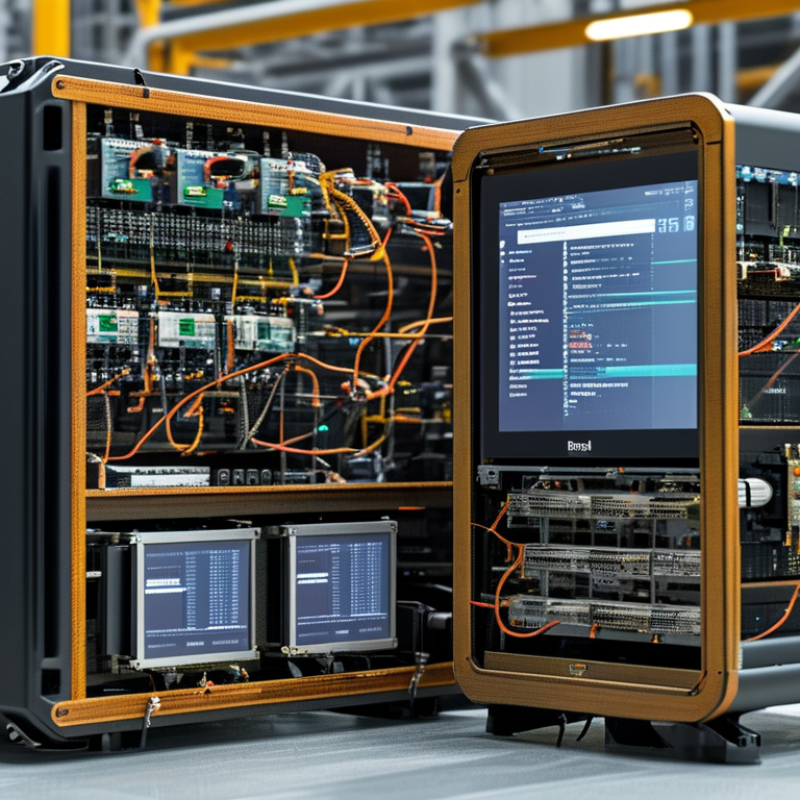
An industrial PC should have a defined role before integration begins. It is not automatically a replacement for every controller. In most plants, the IPC serves as a computing layer between field devices, control systems, and business software. It can run visualization, database collection, protocol conversion, and local analytics. A programmable controller handles time-critical logic, while the IPC processes wider operational data. This separation improves maintainability and reduces the risk of one software failure stopping the entire line.
The International Data Corporation’s 2024 Worldwide Edge Spending Guide forecasts global edge spending to exceed 380 billion dollars by 2028. That growth reflects a practical need for local processing. An IPC can inspect camera images beside a conveyor, store production values during network outages, and send filtered data to higher systems. A few milliseconds matter. So does stable temperature control inside the cabinet. Engineers should define response time, operating temperature, storage endurance, and recovery procedures before selecting hardware.
The connection design also needs discipline. Use industrial communication standards, segmented networks, and read-only access where possible. Keep safety functions independent from general-purpose applications. This is often overlooked. A fast processor cannot repair poor signal grounding or unclear ownership of alarms. The ARC Advisory Group has repeatedly identified interoperability and lifecycle management as major barriers in industrial digitalization. In practice, teams may overestimate artificial intelligence and underestimate patch testing. That mistake deserves review. A smaller IPC with clear responsibilities can be more reliable than a powerful unit running too many services.
How to Integrate Industrial PCs with Automation Systems?
Identify System Requirements and Select Compatible Hardware
Begin with the process, not the computer. Map sensors, actuators, controllers, network protocols, software workloads, and response times. Record cabinet space, power limits, temperature, vibration, dust, and maintenance access. A packaging line may need isolated serial ports, dual Ethernet, digital I/O, and a fanless design. A vision station may require stronger processing, dedicated graphics, and faster storage. Small details matter.
Deloitte’s 2024 Smart Manufacturing and Operations Survey found that 86% of manufacturers view smart manufacturing as a major competitiveness driver within three years. That ambition can encourage over-specification. More processing power does not fix incompatible drivers or unstable networks. Select hardware that supports the required operating system, real-time behavior, memory capacity, and expansion options. Check protocol compatibility before purchasing. This step is often rushed.
Security and lifecycle planning should shape the specification. NIST SP 800-82 Rev. 3 recommends separating operational technology networks and controlling remote access. Include secure boot, hardware-based encryption support, role-based access, and replaceable storage where appropriate. The International Energy Agency reports that industry uses roughly 37% of global final energy, making efficient operation valuable. However, energy savings should not weaken reliability. Test the complete system under heat, vibration, network loss, and power recovery. A prototype that works on a clean workbench may fail beside a motor cabinet. Review the design again.
Integrating an industrial PC starts with a clear communication path. Connect its network ports to separate control and enterprise segments. Use OPC UA or Modbus TCP for data exchange, depending on equipment capability. Keep real-time control traffic away from office traffic. A managed switch, VLANs, and firewall rules help prevent unnecessary broadcast noise. NIST SP 800-82 Rev. 3 recommends layered protection and controlled remote access for industrial control environments.
Performance also needs measurement. The 2024 Data Breach Investigations Report recorded a 180% rise in vulnerability exploitation. The 2024 Cost of a Data Breach Report reported an average critical-infrastructure breach cost of 5.19 million dollars. These figures make basic segmentation difficult to ignore. Use encrypted connections where supported, unique user accounts, and logged configuration changes. Monitor latency, packet loss, and CPU temperature on the industrial PC. A perfect network design is rare. A tested one is better.
Tips: Document every IP address and protocol. Set static addresses for critical devices. Test failover before production. Keep one spare configuration offline. Do not expose the control network directly to the internet. Check certificate expiry dates. Small omissions matter. One practical warning: older controllers may not support modern encryption. Isolating them is often safer than forcing an unstable upgrade.
Integrating an industrial PC with an automation system starts with control software configuration. Define machine states, alarm limits, user permissions, and safe restart behavior. Keep control logic separate from visualization screens. This makes testing and maintenance more manageable. Use clear tag names, consistent units, and documented address maps. A temperature tag should not appear as “T1” in one screen and “Temp_A” elsewhere. Test every interlock with the machine stopped and running. Field results often show that small naming errors create large troubleshooting delays.
Data exchange needs a planned structure. Select suitable industrial communication protocols for controllers, sensors, databases, and supervisory applications. Set update rates according to process needs, not maximum speed. Fast data is not always useful. Add timestamps, quality indicators, and communication-loss alarms. Protect the network with user authentication, segmented connections, controlled remote access, and regular backups. In practice, the first configuration is rarely perfect. Review failed tests carefully, especially when values freeze without triggering an alarm.
Tips: Start with a small simulated cell. Validate one data path at a time. Record normal values before tuning alarms. Use version-controlled backups and restore them on a spare system. Check clock synchronization across devices. Leave room for future signals, but avoid excessive complexity. A simple architecture is easier to audit, repair, and explain during an unexpected shutdown.
Typical median data-exchange latency measured during a representative industrial automation integration test. Lower latency supports faster control feedback, alarm handling, and production data synchronization.
Latency values are shown in milliseconds and include software processing and network transfer time.
Integrating industrial PCs with automation systems requires more than connecting cables and launching control software. During commissioning, verify every interface between the PC, PLC, sensors, and supervisory system. Test normal operation, restart behavior, communication loss, and incorrect input values. Use a controlled test bench before touching live production equipment. Small details matter. Check timestamps, alarm priorities, and operator permissions. A practical test log should record the expected result, actual result, and corrective action.
Security must be built into the system before deployment. Separate control networks from office networks with managed firewalls and clearly defined access rules. Disable unused ports and services. Use unique accounts, strong authentication, and encrypted remote connections. Apply security updates during approved maintenance windows. However, updates can affect old drivers or control software. Test them offline first. I once treated a routine patch as harmless, and a driver conflict delayed testing. That mistake reinforced the value of rollback plans.
Maintenance should combine scheduled inspections with real operating evidence. Review event logs, storage health, processor temperature, and network errors regularly. Keep tested backups of system images, configurations, and control logic. Store recovery instructions where technicians can find them quickly. Replace failing fans, cables, and storage devices before alarms become production failures. Operators should report unusual delays or screen behavior, even when the system still works. Perfect procedures rarely exist. Review incidents honestly, update the checklist, and train the next shift on what changed.
: Use separate connections for control equipment and enterprise systems. Keep office traffic away from real-time control traffic. A managed switch, VLANs, and firewall rules can reduce broadcast noise.
Choose OPC UA or Modbus TCP according to equipment capability. Document every address, protocol, and data direction. Do not assume every device supports the same method.
Record each IP address, protocol, device role, and connection path. Use static addresses for critical equipment. Keep one configuration copy offline.
Track latency, packet loss, CPU temperature, and connection status. Add communication-loss alarms. A frozen value without an alarm is a serious warning.
Separate control logic from visualization screens. Define machine states, alarm limits, user permissions, and safe restart behavior. Keep tag names and measurement units consistent.
Test every interlock with the machine stopped and running. Record normal values before adjusting alarms. Test one data path at a time.
No. Set update rates according to process needs. Faster data may create noise without improving decisions. Add timestamps and quality indicators.
Test failover, backups, clock synchronization, and restore procedures. Use a small simulated cell first. The first configuration may fail. Review why, then adjust it.
Older controllers may not support modern encryption. Isolate them instead of forcing an unstable upgrade. Controlled access is safer than convenient access.
Use simple architecture, version-controlled backups, and clear address maps. Leave space for future signals. Avoid unnecessary complexity. Simple is not always complete.
This guide explains how to integrate industrial pcs with automation systems by defining their role as reliable platforms for machine control, monitoring, data processing, and operator interaction. It begins with identifying application requirements such as processing capacity, operating environment, expansion options, real-time performance, and compatibility with existing controllers, sensors, and software. Selecting suitable hardware ensures stable operation and efficient communication across the entire system.
The integration process also covers establishing secure industrial communication and network connections, configuring control software, and enabling accurate data exchange between devices and applications. After implementation, the system should be tested under normal and demanding conditions to verify performance, communication reliability, and fault handling. Strong access controls, network protection, regular updates, condition monitoring, and preventive maintenance help preserve system security, availability, and long-term efficiency.

Fray Tech