A consumer PC is usually designed for a desk, a stable room, and a relatively short replacement cycle. An industrial computer may sit beside a production line, where dust, vibration, heat, and continuous operation are part of the job. That changes what manufacturers must design, test, and support.
Siemens’ 2024 True Cost of Downtime report estimates that unplanned downtime costs the world’s 500 largest companies about $1.4 trillion annually, or roughly 11% of their revenue. That figure is not a price tag for any single computer, but it helps explain why reliability matters in industrial settings. Downtime is expensive. Equipment choices can affect it.
So, why are industrial computers more expensive than consumer pcs? The answer is rarely one costly component. It may involve wider operating-temperature ranges, reinforced enclosures, vibration-resistant storage, specialized cooling, and longer product availability. Some models also offer protection ratings tested against standards such as IEC 60529, which classifies enclosure resistance to dust and water. These features are not universal, and buyers should check the specifications rather than assume every industrial model has them.
This guide examines ten common reasons for the price difference, from rugged components to validation and support. It also considers where the premium may not be justified. A higher purchase price does not automatically mean a better fit; the right choice depends on the environment, workload, and cost of failure. That trade-off matters.
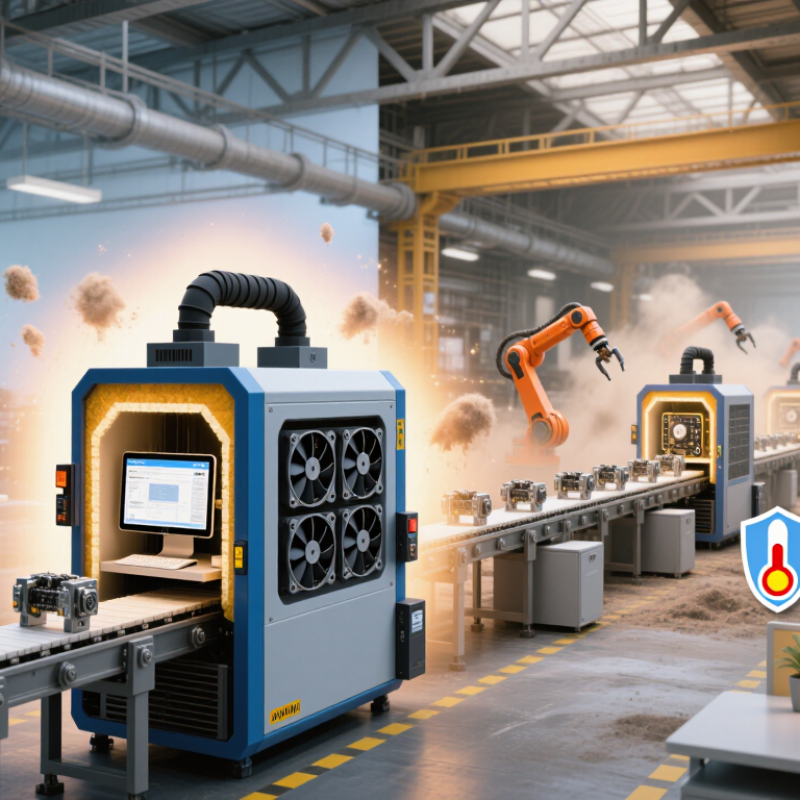
An industrial computer is built for the long shift, not just a quick boot. In a plant, it may control a conveyor through nights, weekends, dust, and vibration. Continuous operation changes the design priorities: cooling, connectors, power input, and component selection must handle heat and wear. A desktop PC can run continuously, but it is not usually specified or validated for the same environment. Small details matter. A loose connector can stop a line.
Longer product lifecycles also affect cost. Industrial systems often remain installed for years because replacing them can require software checks, wiring changes, and production downtime. The Uptime Institute’s 2024 Annual Outage Analysis found that 54% of respondents’ most recent significant outages cost more than $100,000; 16% exceeded $1 million. This survey covers data centers, not factory PCs, so it is useful context rather than a direct price comparison. Still, it shows why buyers may value predictable support and parts availability over a lower purchase price.
That premium is not magic. It pays for longer validation, stable configurations, and designs intended for continuous duty. Check the published operating-temperature range, warranty terms, and stated product availability period. Ask how long replacement units and compatible components will remain available. A longer lifecycle can reduce redesign work, though it does not guarantee zero failures. And sometimes, the industrial model is more than a site actually needs.
| Top 10 Reasons Industrial Computers Cost More Than PCs | |||
|---|---|---|---|
| Industrial PCs are designed for continuous operation, demanding environments, and longer product lifecycles. Specifications vary by model and application. | |||
| Cost Driver | Typical Industrial Computer Design | Typical General-Purpose PC Contrast | Why It Affects Cost |
| 1. 24/7 duty-cycle support | Components and thermal design are selected and tested for continuous operation, often under sustained workloads. | Many consumer PCs are designed for everyday office or home workloads, which may include more idle time. | Continuous-duty qualification and more conservative component choices can increase design, testing, and parts costs. |
| 2. Longer product lifecycles | Industrial platforms are often maintained for multiple years, with planned availability and compatibility options. | Consumer models and components may be replaced more frequently as product generations change. | Keeping a platform available and managing component changes requires longer-term planning and supply-chain support. |
| 3. Wider operating-temperature options | Depending on the model, industrial systems may be specified for extended temperature ranges, sometimes including below-freezing or high-ambient conditions. | General-purpose PCs are commonly intended for controlled indoor environments; their allowable range is model-specific. | Temperature-rated components, thermal analysis, and environmental testing add cost. |
| 4. Ruggedized construction | Chassis, mounting, and internal components may be designed to withstand vibration, shock, dust, or other site conditions. | Standard desktop enclosures are generally intended for stationary use in cleaner, less demanding surroundings. | Reinforced materials, secure component mounting, and ruggedization tests add manufacturing and validation work. |
| 5. Fanless or specialized cooling | Some industrial computers use fanless cooling or filters and cooling systems designed for dust-prone environments. | Many standard PCs rely on conventional fans and airflow through a general-purpose enclosure. | Fanless thermal designs may require larger heat-dissipation surfaces, careful engineering, and additional testing. |
| 6. Industrial power input and protection | Selected models support wider DC input ranges or include protection against electrical disturbances, depending on the application. | Typical office PCs are usually designed around a standard AC power supply and indoor electrical conditions. | Specialized power circuitry and protection components increase parts and qualification costs. |
| 7. More specialized I/O and expansion | Configurations may include serial ports, digital I/O, multiple network connections, or expansion options for equipment integration. | Consumer PCs tend to prioritize common ports used by peripherals and home or office devices. | Additional interfaces, connectors, and configuration choices increase hardware and production complexity. |
| 8. Electromagnetic compatibility requirements | Industrial systems may be designed and tested to meet applicable EMC requirements for their intended operating environment. | General-purpose PCs also require compliance testing, but may not be designed for the same installation conditions or interference risks. | Shielding, filtering, layout work, and testing can add engineering and certification expenses. |
| 9. Extended validation and quality control | Product programs may include environmental, vibration, thermal, and long-duration reliability testing relevant to the intended use. | Testing priorities for general-purpose systems are typically focused on standard consumer or office use. | More extensive testing takes engineering time, equipment, and production resources. |
| 10. Configuration stability and service support | Industrial offerings may provide controlled configurations, documentation, and technical support for deployment and maintenance. | Consumer systems are often sold in frequently refreshed configurations with support aimed at individual users. | Configuration management, documentation, and longer-term service commitments add operational costs. |
| Overall comparison | Industrial computers are not automatically more reliable or suitable for every task. Their higher price typically reflects the specified environmental range, duty cycle, interfaces, lifecycle commitments, testing, and support required for a particular deployment. | ||
They need components that tolerate greater temperature swings. Memory, storage, power supplies, and board materials may cost more. Testing adds expense too.
No. The full system must meet its specified airflow and installation conditions. Check whether the rating covers operation or storage.
It is dust-tight and resists water jets under defined test conditions. Small details matter.
No. It is not waterproof. Follow the documented cleaning limits, and inspect seals after maintenance.
Loose connectors or worn gaskets can let dust or water reach sensitive parts. That part gets missed.
Heat moves through a metal chassis instead of a rotating fan. This can reduce dust intake and maintenance points, but requires careful thermal design.
Serial ports, isolated signals, and machine-vision connections need extra engineering and testing. They may also reduce the need for separate adapters.
Smaller production runs spread development costs across fewer computers. Keeping a model available for years also requires planning and spare parts. The trade-off deserves a closer look.
Industrial computers cost more than consumer PCs because they are designed for demanding environments and longer service. Their components and systems must support continuous 24/7 operation, extended product lifecycles, and wider temperature ranges, sometimes from −40°C to +85°C. These requirements call for more robust parts and careful thermal design than a typical office or home computer needs.
Protection and reliability also add to the price. An enclosure rated IP65 must keep out dust and withstand water jets, while testing for IEC 61000-6-2 industrial immunity helps verify operation amid electrical disturbances. Specialized I/O, fanless cooling, and lower production volumes can further increase manufacturing costs. In short, why are industrial computers more expensive than consumer pcs? They are built and tested to deliver dependable performance in harsher conditions, often for years of continuous use.

 Fray Tech